TaxCycle

RESOLVED: Template Print Error Related to Microsoft Update

A recent Windows .NET security update causes an error in TaxCycle version 16.0.64702.0 when printing templates.

The affected fonts are Calibri, Cambria, Constantia, and Corbel (all weights and styles). Because many built-in TaxCycle templates use Calibri by default, printing any templates (including letters and snippets) may cause an error.

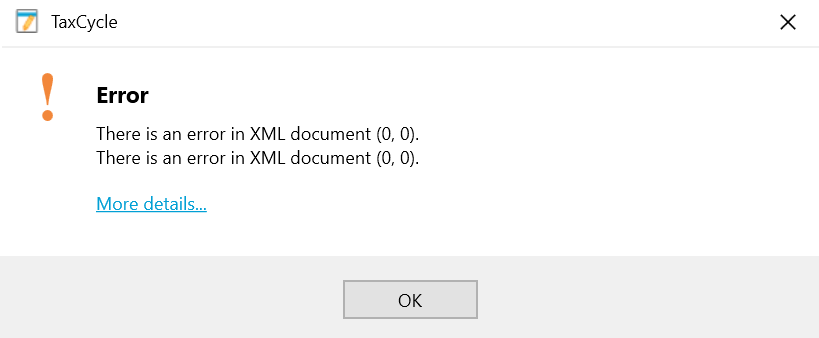
Screen Capture: Error printing templates in TaxCycle

Workaround

Change the font in both the letter template and snippets:

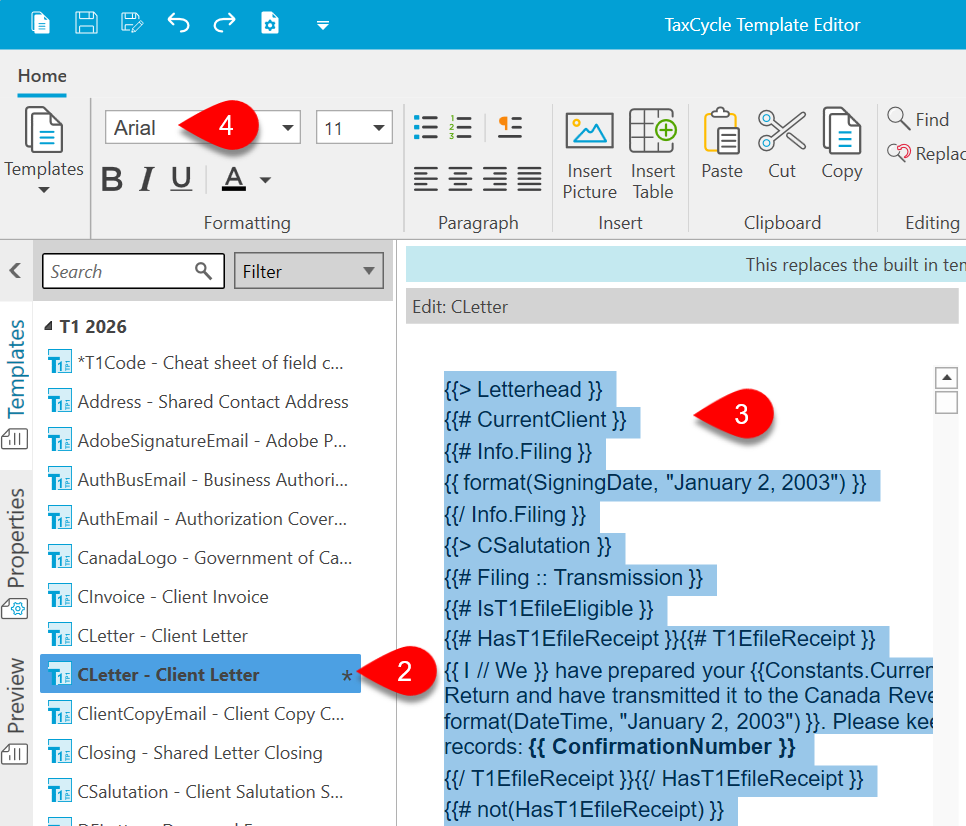
  1. Open the Template Editor.

  2. Clone the template.

  3. Press Ctrl+A to select all the text.

  4. Change the font to another font (we recommend either Arial or Times New Roman). 

  5. Make sure to also update the font in the snippets (CSalutation, Letterhead, Closing, and QCSummary if working with Québec clients).

Note: Changing the font style in a template may alter the spacing or layout. Review your letters before printing to ensure the formatting appears as expected.

Screen Capture: Change the template font

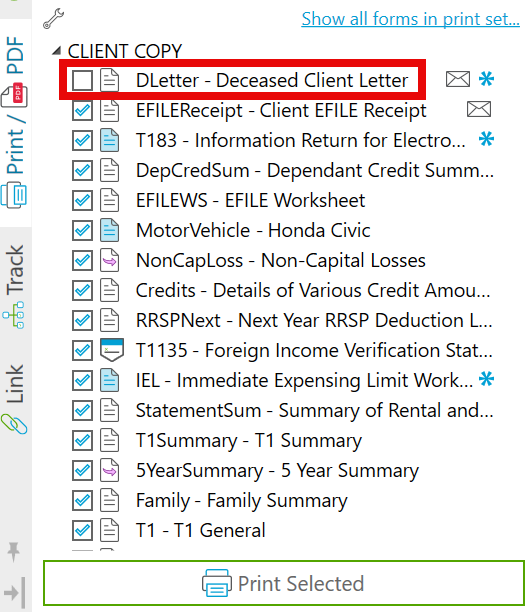
If you are printing a print set, you can deselect any affected templates from the set to prevent the error from occurring.

Screen Capture: Deselect template from print set

Resolution

Microsoft is working on a resolution. We have issued a temporary fix in TaxCycle version 16.0.64783.0. Once Microsoft releases an official fix, we will revert this temporary substitution back to the default fonts.