Your Ideas in Action: TaxCycle Year in Review 2025-26
This time of year, we always take a moment to reflect on everything the past tax season brought to TaxCycle. Beyond the expected legislative changes and new services from the Canada Revenue Agency (CRA) and Revenu Québec, what truly stood out were the invaluable contributions from our clients. Your feedback, shared during webinars, on our support lines, or in posts on ProTaxCommunity.com has been absolutely pivotal to TaxCycle’s progress.
In case you didn’t catch every detail in our release notes, here’s a look at some notable improvements you helped us bring to TaxCycle this year. Can you spot your idea?
Highlights
Gmail® and Microsoft 365® (Outlook) Integration
You can now connect your Gmail or Microsoft 365 (Outlook) account directly to TaxCycle.
- When printing a form or return, select PDF as the output and simply choose your email provider to send the generated PDF to your client directly from TaxCycle.
- Email multiple recipients at once: TaxCycle automatically detects and lists all family members in the email dialog box when emailing templates to multiple recipients, such as the Family Incomplete Slips (FISlips) template.
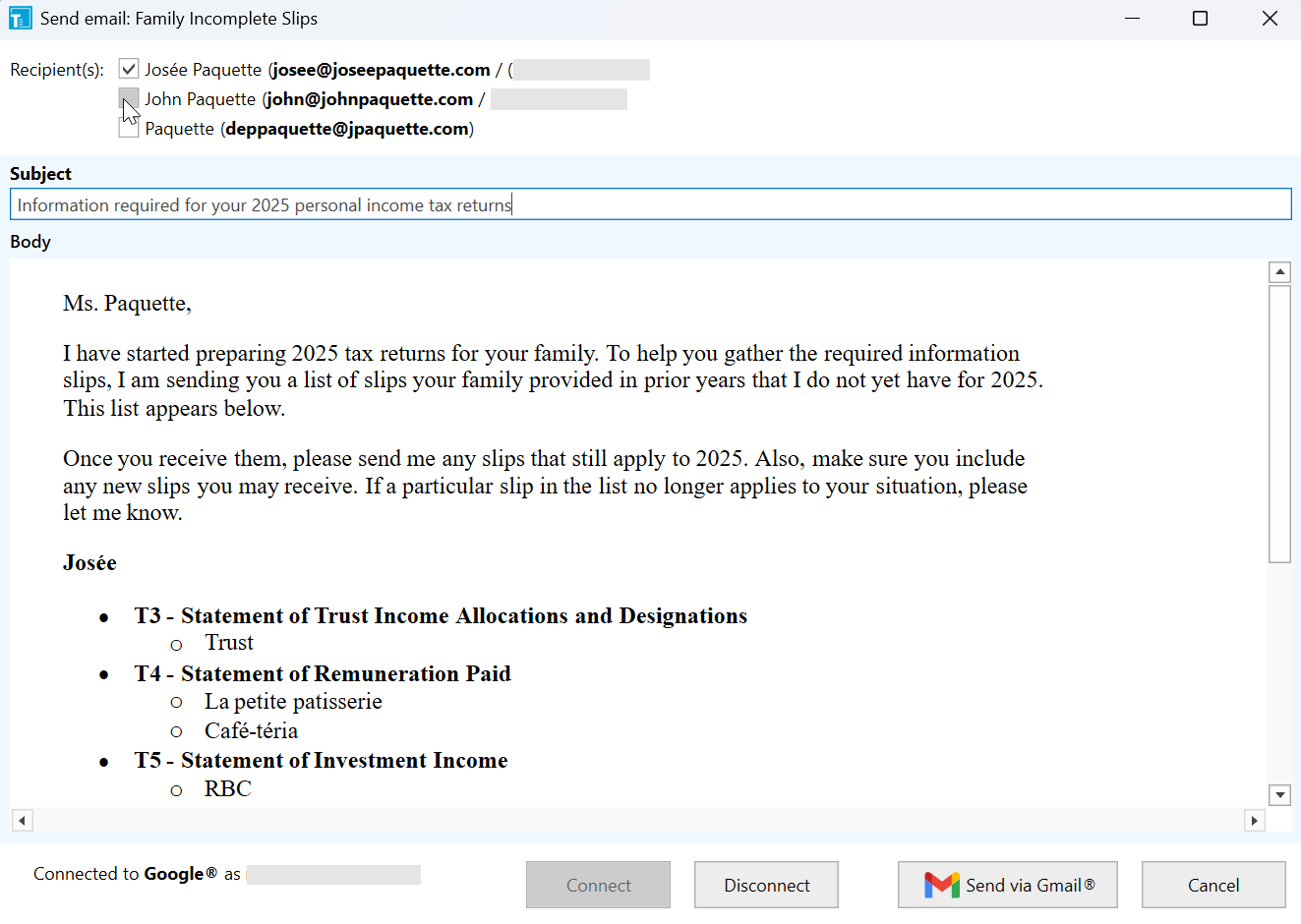
You can also set Gmail or Outlook as your default provider in Correspondence Options.
For setup instructions, see the Gmail® Integration and Microsoft 365® (Outlook) Integration help topics.
Significant CRA and Provincial Initiatives
Many CRA and provincial changes require additional research and design to implement them well in TaxCycle, and make them available quickly as well as easy-to-use. Worth noting this year are the following:
Reaccelerated Investment Incentive Property (RIIP)
One of the larger implementation efforts this year was incorporating the Reaccelerated Investment Incentive Property (RIIP) measures enacted in Bill C-15, which received Royal Assent on March 26, 2026.
TaxCycle version 15.1.61472.0, released on April 10, 2026, included updated CCA calculations for the T1, T2, T3 and T5013 modules.
Other Changes
- T2 and TaxCycle Forms—Updated affected forms to reflect the CRA’s new requirements for security questions when requesting a Web Access Code (WAC) or transmitting Special Elections and Returns (SERs) in both modules.
- T5013—To support legislation introduced in Bill C-15, TaxCycle now allows for the preparation and electronic filing of Schedule 75 (Clean Technology Investment Tax Credit) for fiscal year ends between March 29, 2023, and December 31, 2024. To file an amended 2023 return, simply copy the 2023 file and change the file extension to .2024T5013 to open and file it in the 2024 module.
TaxCycle T2
- Added new line 1A to Chart 2 on the Motor Vehicle Expense worksheet. This line calculates the total lease charges deducted in Schedule 125 if they differ from the total lease charges entered on line 1.
- The T2 Summary now includes a field for the closing balance of Restricted interest and financing expenses (RIFE).
- In the certification section of AT1 return, line 105 now allows you to enter an authorized email address, or use the email address of the signing officer or contact person entered on the Info worksheet. To manually enter an email address, leave both boxes unchecked.
- Added new effective corporate tax rates to the T2 Summary, AT1 Summary and CO-17 Summary, as requested on protaxcommunity.com.
- Added on screen-only fields to Part 1 of Schedule 3, where you can enter deductible dividends under paragraph 113(1)(c). If you complete only these fields and no other fields or sections, S3 remains unused. The purpose of these fields is to calculate a deduction on line 320 of the T2 jacket.
- Added a new checkbox to the Part 1 and Part 3 tables of Schedule 3, to exclude the payer or recipient corporation row from the T2 data transmitted to the CRA. When you check the box, TaxCycle allows you to retain the corporation’s information (“tombstone data”) for carryforward, even if no dividends were paid or received in the current year. Excluded rows will not be included in the T2 transmission or barcode.
- Added new options to carry forward CCA classes with zero ending UCC to the S8Claim worksheet.
TaxCycle T3/TP-646
- Added a custom worksheet based on form TP-1026.F from Revenu Québec to assist in determining Québec instalment amounts.
- Added a new Beneficial Owners on File Summary (BeneficialOnFileSummary). This is a truncated version of the Beneficial Owners on File (BeneficialOnFile) worksheet with a page-width layout for easier printing and review with clients. Any changes or additions to beneficial ownership information must still be made directly on the BeneficialOnFile worksheet or Schedule 15 and not from this summary.
TaxCycle T3010
TaxCycle is now CRA-certified for online filing of the T3010 Registered Charity Information Return—a distinction few software providers can claim. You can file directly by uploading a .txt file generated by TaxCycle to the CRA’s My Business Account or Represent a Client portal.
Templates
Based on your feedback, we made several adjustments to our templates to ensure they’re more accurate and helpful.
Template Outlines
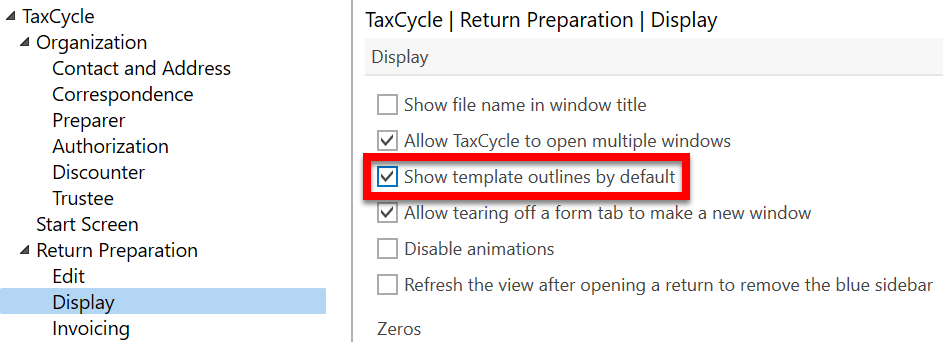
We added Template Outlines to several T1 2025 templates, including the Client and Joint Client letters, Pre-Season letters, the Closing snippet, and English salutation snippets. Template outlines allow you to show or hide segments of a letter for a specific client. TaxCycle continues to update the letter as you make data or calculation changes. We also moved the panel from above the template to a sidebar for easier navigation, and added a new checkbox in Display options to show template outlines by default.
T1 and T2
- The Canadian Dental Care Plan (CDCP) paragraph in the T1 2025 Client and Joint Client Letter now uses the adjusted net family income from the GST/HST worksheet, as well as boxes 45 on the T4 and 15 on the T4A to determine eligibility.
- TaxCycle now masks the SIN by default in the T1 2025 Pre-Season and 2024 Post-Season letters.
- Updated references to the GST/HST credit in the 2025 Client (CLetter) and Joint Client (JLetter) letters to “Canada Groceries and Essential Benefit (formerly the GST/HST credit).”
- Updated the T1 Client and Joint Client Letter to confirm the request to the CRA to apply the current-year tax refund to the subsequent year’s instalment account.
- Added a question about Alberta organ and tissue donation to the T1 2025 Pre-Season and the T1 2024 Post-Season letters (PreSeason, JPreSeason, FPreSeason, PostSeason, JPostSeason, FPostSeason). This question only appears if the taxpayer is a resident of Alberta or if an amount is entered for Alberta on the T2203. TaxCycle automatically checks the related box in the template outline when this question applies.
- Added a question about the BC Transplant organ and tissue donation program to the T1 2025 Pre-Season and 2024 Post-Season letters. This question appears for residents of British Columbia.
- Added two new functions to aid in selecting data from the table of changes on the T1-ADJ: last() and selectFirst().
- Added a paragraph for amended returns to the T2 2025 Client Letter. The paragraph appears when you check the box on the Info worksheet indicating that the T2 return is amended.
Template Overrides
Template Overrides let you make one-off changes to a template’s output for a single client, like adding extra text to a specific letter. Based on customer feedback, we improved template overrides to give you greater control over how they’re activated. Read the release notes for more information.
Client Manager
- Upgraded the database for improved performance.
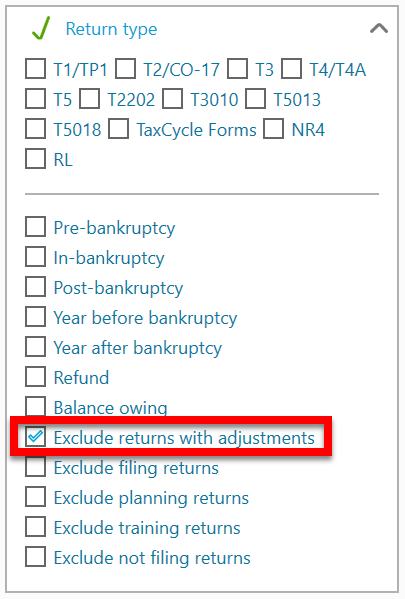
- Added a new custom filter to exclude returns with adjustments from searches. With this filter enabled, TaxCycle removes original returns from view if there is an adjustment, ensuring only the most recently adjusted return remains visible for carry forward.
Help Menu in the TaxCycle Ribbon
We added a new Help menu to the TaxCycle ribbon to help you navigate useful resources, including help topics, release notes, webinars and more.
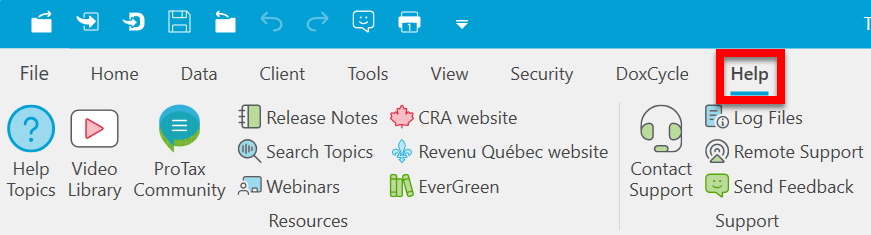
- Click the EverGreen research button to access the Knowledge Bureau’s EverGreen Explanatory Notes©.
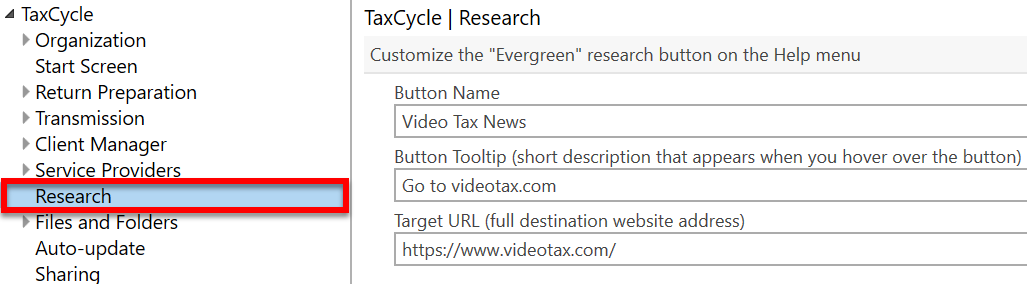
- You can customize the EverGreen button to go to a website of your choosing instead of the default. Customize the Button Name, Button Tooltip and Target URL from the Research menu in TaxCycle Options.
- The buttons in the Support section of the ribbon allow you to contact our support team, view log files, engage in a remote help session and send feedback directly from TaxCycle.
KYRA: TaxCycle’s AI Support Assistant
We know that every minute counts during tax season, which is why, this year, we introduced KYRA (Knowledge Yielding Response Agent), our specialized AI support assistant.
Available in both English and French, KYRA acts as a high-speed bridge between your software questions and our extensive database of help documentation and technical guides.
Look for the chat icon on www.taxcycle.com to start your first conversation! Read our news article about KYRA to learn more.
Other Improvements
- Fast Find (F4)—Improved the form search to prioritize form matches over specific line numbers for more accurate navigation.
- Print/PDF—Updated email error reporting to display errors in a dialog box. This ensures print errors are visible and the window remains open to allow for troubleshooting.
- Slips—Added label templates for NR4 and T4A-NR slip recipients. Read the Print Labels for Slip Recipients help topic for instructions.
Documentation
We published and improved the following pages to assist with some commonly asked questions about account and licensing tasks:
What About Other Years?
Curious about enhancements in prior years? Check out these news articles: