TaxCycle 15.0.60095.0—T1/TP1 2025 Preview Forms and Calculations
This TaxCycle release provides a preview of 2025 T1/TP1 forms and calculations. It also extends the supporting tax year for Québec’s CO-17 returns to May 31, 2026. In addition, it changes the behaviour of template overrides and outlines.
To install this version immediately, download the full installer from our website or request a free trial. Once we enable the automatic update for this version, TaxCycle will prompt you to install it according to the priority set in your TaxCycle Options. (To deploy auto-update files from your network, see the Auto-Update Files page.)
Release Highlights
T1/TP1 Preview Forms and Calculations for 2025
This release updates the T1 federal and provincial schedules, as well as many other forms, to the latest versions available from the Canada Revenue Agency (CRA). It also updates the TP1 jacket and all schedules to the latest versions available from Revenu Québec.
All forms, other than authorization forms, remain in a preview state and include a Preview watermark. We will remove the watermark once we receive approval of the T1 Condensed and barcode from the CRA, as well as a number of final forms.
Update to this release to try the latest forms and calculation changes to T1 and TP1. You can begin data entry, but you must wait for CRA and Revenu Québec certification before filing.
New CO-17 Forms
CO-1029.8.36.EK Cumulative Limit Allocation Agreement for the Tax Credit Relating to Resources
- This form must be completed by any corporation whose taxation year begins after March 25, 2025, and that meets all of the following conditions:
- The corporation is claiming the Tax Credit Relating to Resources for the taxation year.
- The corporation is associated, in the taxation year, with one or more corporations (whether qualified or not for this tax credit) whose taxation years end in the qualified corporation’s taxation year or on the same date.
- The corporation wants to reach an agreement with the associated corporation(s) on allocating, for the taxation year, the balance of the $100 million cumulative limit used to calculate the Tax Credit Relating to Resources.
- The allocated amount for the filing corporation transfers to line 65q of the corporation’s copy of form CO-1029.8.36.EM.
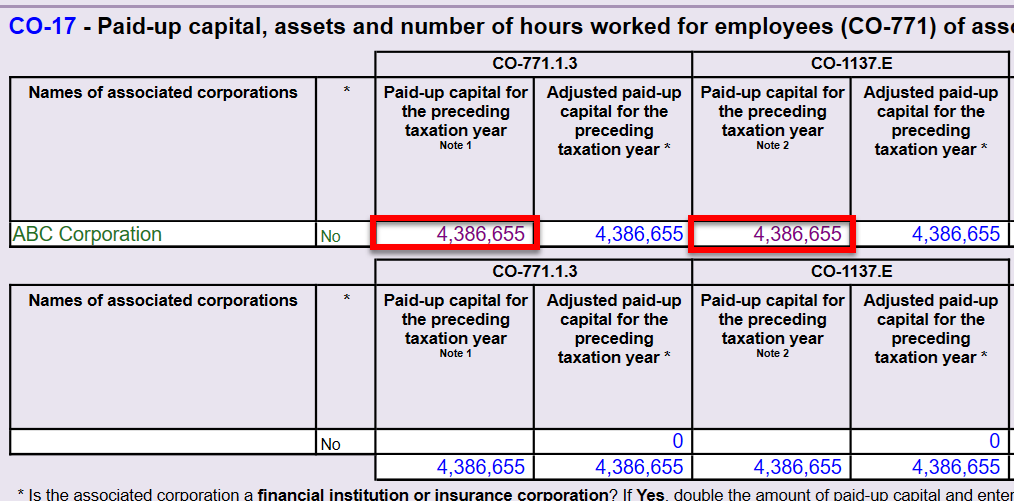
- We have also added this table to the CGI worksheet and to the data shared in Corporate Linking.
RD-1029.8.CR Tax Credit for R&D and Pre-Commercialization
- This multiform is used to calculate a tax credit for R&D and pre-commercialization for scientific research and development (R&D) expenditures or pre-commercialization expenditures incurred in its taxation year.
- Added an “on-screen only” check box on page 1 to calculate applicable sections related to partnerships. If you check this box, make sure to enter the partnership’s fiscal period start date on page 1 and complete Part 4.
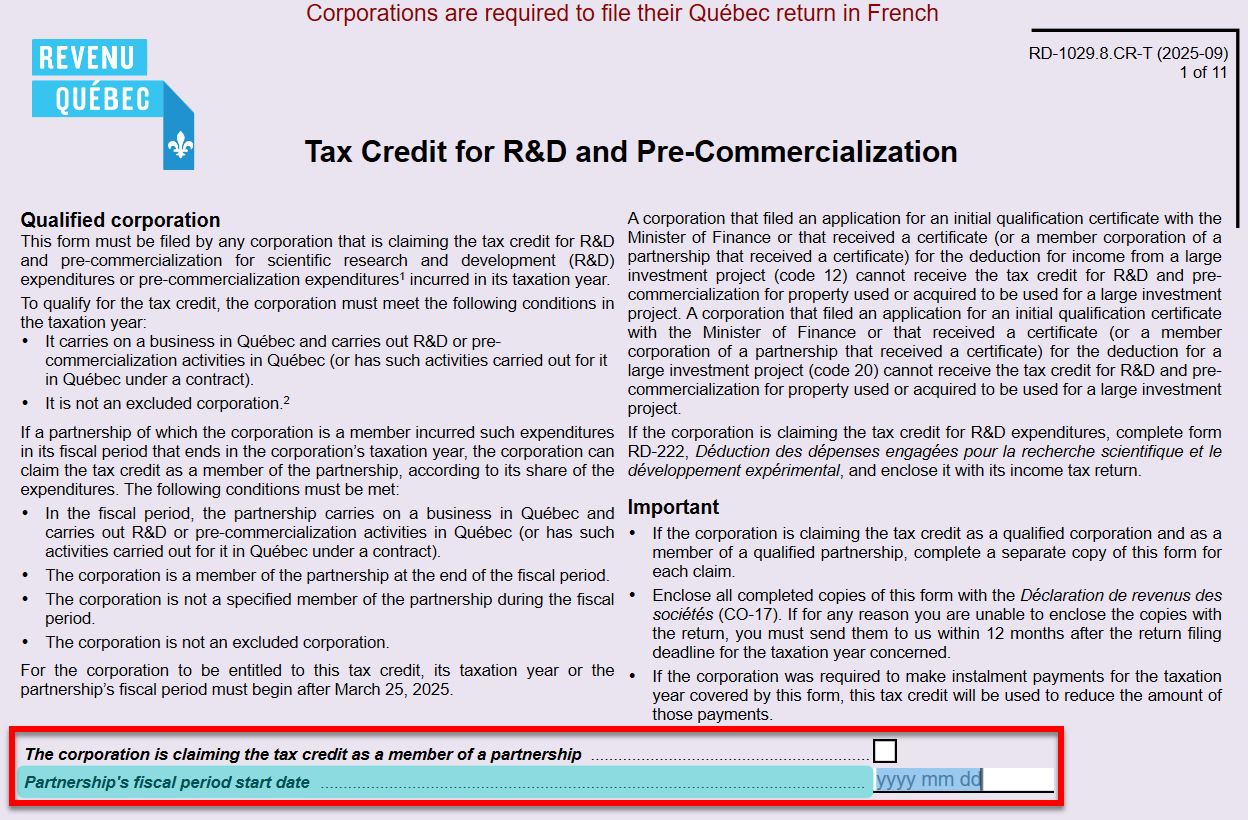
- The partnership’s fiscal period start date is used to calculate the basic personal amount in column I in the Part 2.1 and Part 2.2 tables.
- When more than five rows are completed, the fifth row in the printed copy of the form refers to a worksheet which is automatically printed to list the fifth and subsequent employee information as required by Revenu Québec.
- When more than three subcontractor payment details are entered, TaxCycle will automatically print a worksheet to provide additional subcontractor information.
- If applicable, line 160 in Part 7.1 calculates from new form RD-1029.8.EN (see notes below).
- The R&D portion of the tax credit calculates on line 180 in Part 8.1 and the pre-commercialization portion of the tax credit calculates on line 200 in Part 8.2. The credits are transferred to the CO17Refundable worksheet with codes 112 and 113, then flow to section 5 on page 5 of the CO-17 jacket (lines 440pi-440yi and 440p-440y).

- If applicable, the R&D portion of the tax credit from line 180 of this form is automatically included on line 71 of RD-222.
RD-1029.8.EN Agreement Regarding the Expenditure Limit for the Tax Credit for R&D and Pre-Commercialization
- This form must be completed by a corporation if:
- it is claiming the Tax Credit for R&D and Pre-Commercialization for the taxation year;
- it is associated, in the taxation year, with one or more other corporations carrying on a business in Québec;
- it wishes to agree with the corporations(s) with which it is associated on how to allocate between themselves the $1,000,000 expenditure limit that applies when calculating this tax credit.
- The allocated amount for the filing corporation transfers to line 160 of the corporation’s copy of form RD-1029.8.CR.
- We have also added this table to the CGI worksheet and to the data shared in Corporate Linking.
TP-1079.8.BE Foreign Property Return
- This form is Revenu Québec’s version of the federal T1135 (Foreign Income Verification Statement). TaxCycle automatically completes the TP-1079.8.BE based on the data entered on the T1135.
- This form is only required for a taxation year ending after December 30, 2025.
- When you complete this form, TaxCycle automatically answers Yes to question 19c on the CO-17 jacket.
- Important! You must complete form T1135 before transmitting the CO-17 return. While the T1135 is transmitted separately, TaxCycle includes the TP-1079.8.BE in the data transmitted with the CO-17 return.
Updated CO-17 Forms
CO-17 Corporation Income Tax Return
- Added new question 19c on page 1 to account for new form TP-1079.8.BE. When you complete the TP-1079.8.BE, TaxCycle automatically answers Yes to this question.

- Removed line 21 (start date of production, if the corporation is a mining corporation that has reached the production stage).
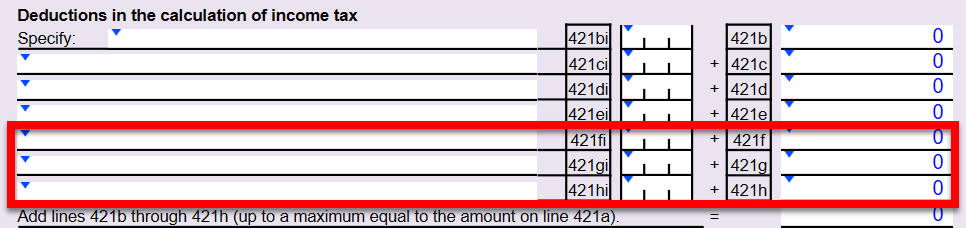
- Added three new rows of deductions on page 4.
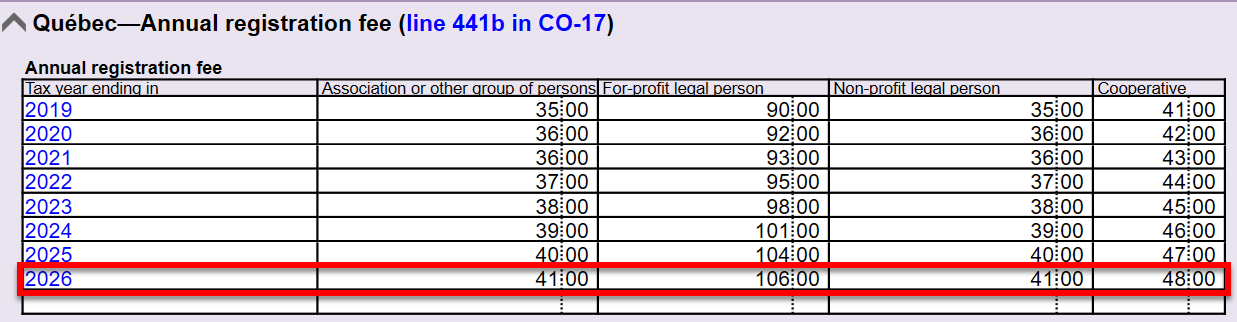
- Added the Québec annual registration fee for 2026 (line 441b in CO-17) to the TaxConstants worksheet.
COR-17.W (Summary)
- The same changes as the CO-17 updates above apply.
CO-17S.4 Corporation Loss Continuity and Application
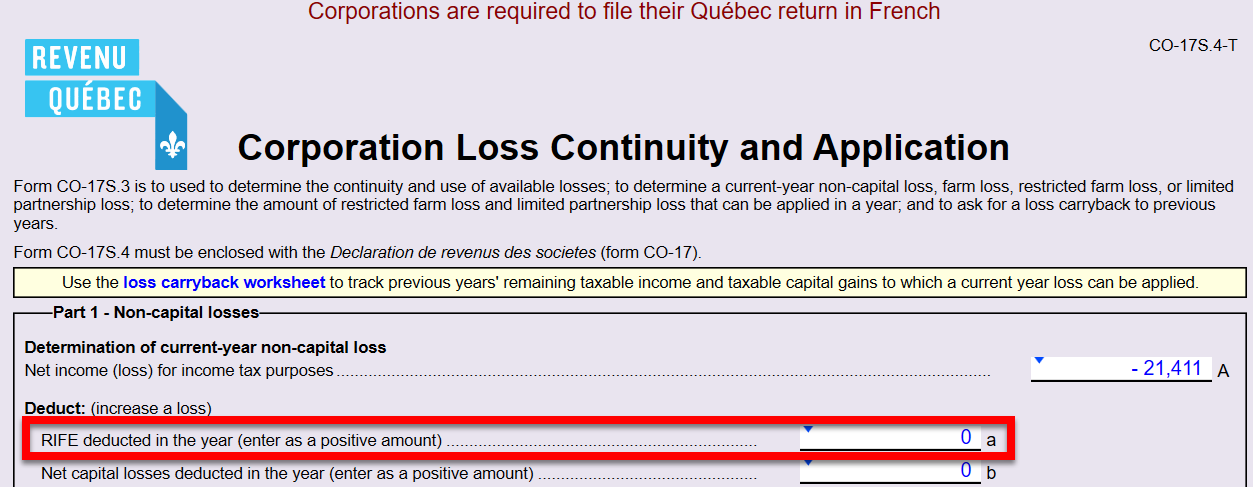
- Added a new field to account for Restricted interest and financing expenses (RIFE) under federal Income Tax Act paragraph 111(1)(a.1).
CO-502 Election in Respect of a Dividend Paid Out of a Capital Dividend Account
- The election now generates a barcode on the form.
CO-1029.8.33.13 Tax Credit for the Reporting of Tips
- Updated the calculations to reflect the 2026 rates and threshold, as per version 2026 of TP-1015.F.
CO-1029.8.36.DA Tax Credit for the Development of E-Business
- Added the 2026 Québec basic personal amount of $18,952 to the calculation of line 35a in Part 2.4.1.
CO-1029.8.36.EM Tax Relating to Resources
- This form has received a major update.
- Added new “on-screen only” questions to calculate applicable sections related to partnerships, joint ventures and eligible expenditures incurred after March 25, 2025.

- This updated version remains a multiform. However, while Parts 2 and 6 appear and calculate on every copy, Parts 7 through 13 only appear and calculate as a total in the first copy of the form.
- Added new line 65q, which populates an allocated amount from new form CO-1029.8.36.EK (see New CO-17 Forms above for more information)
- With this major overhaul of the form, when you open an existing file, TaxCycle retains the amounts as overrides in the first copy of the form on the following lines:
- lines 74a, 74b, 75 in columns A and B of Part 9.1.1 (previously Part 6.1.1)
- lines 75c, 75d, 75e in columns A and B of Part 9.1.2 (previously Part 6.1.2)
- lines 79a, 79b, 80 in columns A and B of Part 9.2.1 (previously Part 6.2.1)
- lines 80c, 80d, 80e in columns A and B of Part 9.2.2 (previously Part 6.2.2)
- lines 84a, 84b and 85 in Part 11 (previously Part 7)
- lines 89a, 89b and 90 in Part 12 (previously Part 8)
- line 91 in Part 13 (previously Part 9)
- The refundable tax credit calculated on line 91 in the first copy of the form continues to flow to the CO17Refundable worksheet, then into section 5 on page 5 of the CO-17 jacket (lines 440pi-440yi and 440p-440y).
CO-1029.8.36.TM Tax Credit for Multimedia Titles
- Added the 2026 Québec basic personal amount of $18,952 to the calculation of line 49a in Part 4.5.1.
CO17Refundable Worksheet
- Added new codes 112 and 113.
CO17Deductions (for CO-17 lines 265 and 266)
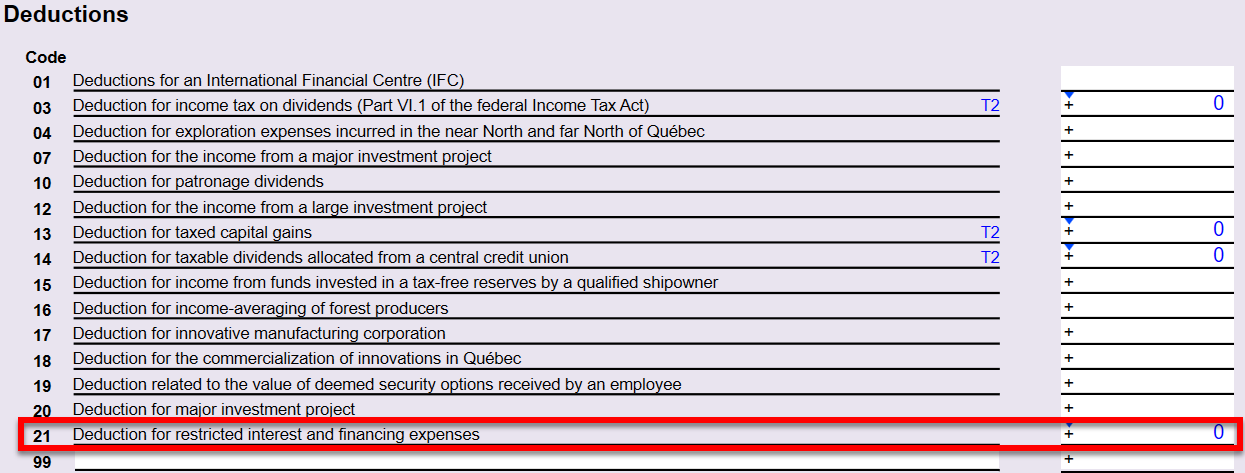
- Added new deduction code 21 to account for Restricted interest and financing expenses (RIFE) from line 335 of the T2 jacket.
TP-21.4.3.9 Cryptoasset Return
- Added new check box 01 to allow taxpayers to indicate if the schedule is being amended.
- Previously, capital gains (or losses) from cryptoassets were reported in separate tables for gains (or losses) realized before June 25, 2024 (previously section 4.1) and after June 24, 2024 (previously section 4.2). The updated form now combines the table into a single table. When you open an existing file, TaxCycle combines the capital gains (or losses) from the previous two tables in the new table in section 4.1.
- Combined previous section 6.1 (Rental income (or losses) from cryptoassets) and section 6.2 (interest income from cryptoassets) into a new single table with the title “Property income (or losses) from cryptoassets” in new section 4.3. When you open an existing file, TaxCycle combines the capital gains (or losses) from the previous two tables and retains them in the new table in section 4.3.
Minor Updates
The following forms received minor updates:
- CO-130.A
- CO-1027
- CO-1029.8.36.5
- CO-1029.8.36.7
- CO-1029.8.36.II
- COZ-1027.P
- RD-1029.8.6
- RD-1029.8.36.7
- TP-1086.R.23.12
Updated T2 Forms
Schedule 8 and Motor Vehicle Expenses Worksheet
- Updated to reflect the 2026 automobile deduction limits announced by the Department of Finance on January 14, 2026.
- Increased the class 10.1 ceiling amount by $1,000 to $39,000 for purchases made as of January 1, 2026. Also updated the automobile lease calculation.
Schedule 429 British Columbia Interactive Digital Media Tax Credit
- Updated to the latest version.
Schedule 572 Ontario Made Manufacturing Investment Tax Credit
- Updated based on Bill 68 from the Ontario 2025 budget receiving Royal Assent on November 27, 2025.
- Revised Part 2 to allow an additional 5% increase (from 10% to 15%) for eligible property that becomes available on or after May 15, 2025.

T661 Scientific Research and Experimental Development (SR&ED) Expenditures Claim
- Adjusted the government assistance amount calculated on lines 429 and 513 to include the R&D portion of the tax credit from RD-1029.8.CR.
S32 Worksheet (S32WS) T661 Government Assistance Worksheet
- Updated to include calculations from RD-1029.8.CR.
Settings and Template Migration
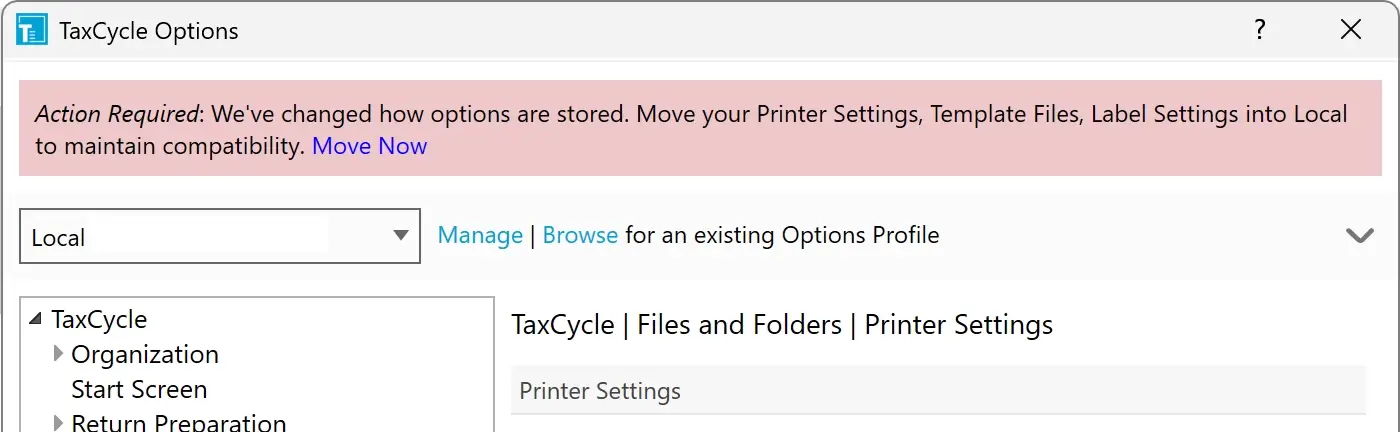
To facilitate better backup and sharing, we updated the default storage location for settings several years ago. While migration was previously optional, TaxCycle will now prompt you to move Data Monitors, Favourites, and Tabs created prior to 2020 into an Options Profile or the default Local profile when you open the Options dialog.
Additionally, while we still support loading templates from local or network drives, TaxCycle will now prompt you to move them to an Options Profile or the default Local profile. Migrating your templates now ensures you will be ready to use our upcoming enhanced sharing features.
For more information, see the Move Settings and Templates into Options Profiles help topic.
Template Overrides
A “template override” (formerly known as “personalizing a template” or “customizing a template”) lets you make one-off changes to a template’s output for a single client. For example, adding extra text to a specific client’s letter.
Using this feature carries some risks. Overriding a template causes its content to become static, meaning it stops updating based on changes in the tax return. In the past, all you needed to do was type in the template to interrupt this data flow. Over the years, we have received many support calls to “fix” files with “broken” templates that were actually the result of an accidental override.
This release changes the way overrides are activated and provides you with greater control:
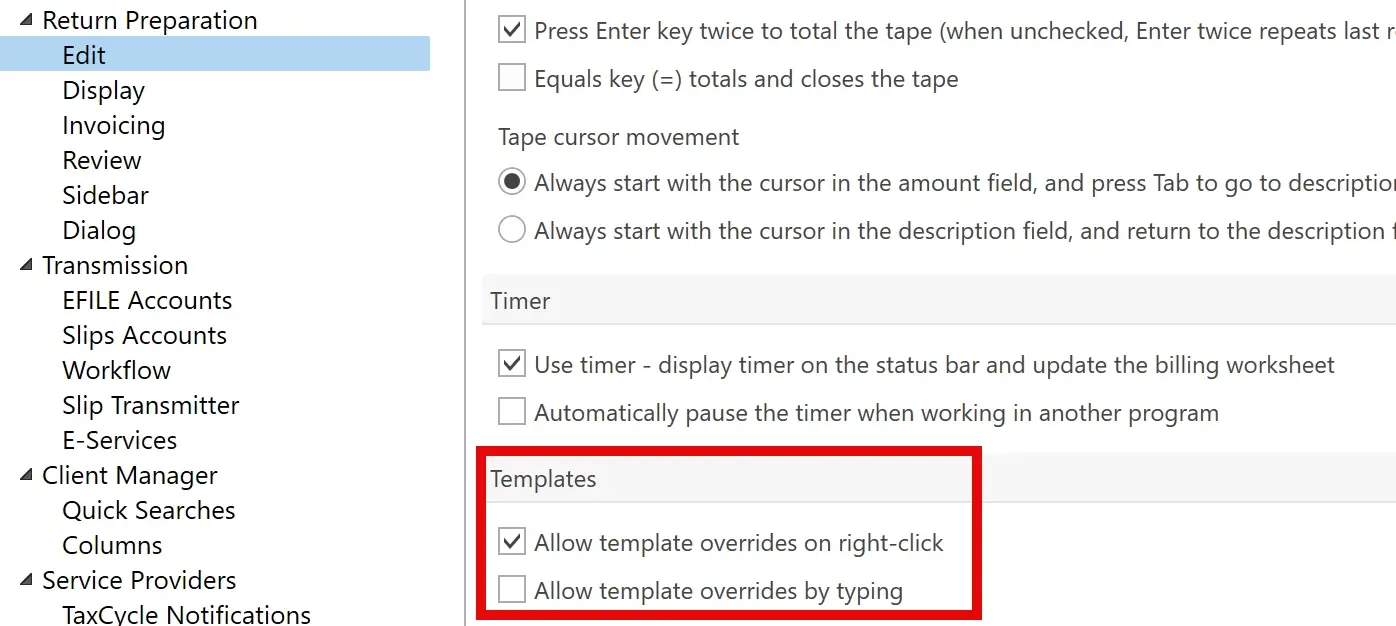
- Two new Edit options have been added. You can choose to allow overrides when you right-click or type. Alternatively, you can disable them entirely by clearing both options. These options are not enabled by default. If you intend to override templates, please set one of these options.
- If you decide to override a template, a warning dialog box will appear, reminding you that the data flow will be interrupted. You can opt to display this message only once or each time you override a template.
- When you override a template, a red message appears at the top of the template, indicating that it will no longer receive updates based on the tax return data.
- Click the Remove Override button to revert to the default template. The right-click context menu also includes a Remove Override option.
Read the full help topic on Template Overrides for more details.
Customer Requests
- Customer Request NR4—This release adds label templates for NR4 and T4A-NR slip recipients. Read the Print Labels for Slip Recipients help topic for instructions.
- Template Outlines—This release moves the panel for Template Outlines from above the template to a sidebar, making it easier to scroll through the list of possible.
- Customer Request T1-ADJ—This release adds two new functions to aid in selecting data from the table of changes on the T1-ADJ: last() and selectFirst().
Resolved Issues
Status of File Carryforwards from 2024 to 2025
As of this release, the following 2024 to 2025 carryforwards are up to date. However, we strongly recommend you only perform batch carryforward on tax modules that are ready for filing in the list, below. We anticipate the rest of the modules will be finalized later in February.
Ready for batch carryforward:
- T2/CO-17—Carryforwards from TaxCycle, ProFile®, Taxprep®, Cantax®, DT Max®, creating files with year ends up until May 31, 2026.
- T4, T4A, RL-1/RL-2—TaxCycle, ProFile®, Taxprep®, Cantax®
- T4PS—TaxCycle, ProFile®, Taxprep®, Cantax®
- T4A-RCA—TaxCycle, ProFile®
- T5, RL-3—TaxCycle, ProFile®, Taxprep®, Cantax®
- T2202—ProFile®, Taxprep®
- T5018—TaxCycle, ProFile®, Taxprep®, Cantax®
- T3010/TP-985.22—TaxCycle, ProFile®, Taxprep®, Cantax®
- NR4—TaxCycle, ProFile®, Taxprep®, Cantax®
- Forms—TaxCycle, ProFile®, Taxprep®, Cantax®
- RL—TaxCycle, ProFile®, Taxprep®, Cantax®
Wait for batch carryforward:
- T1/TP1—TaxCycle, ProFile®, Taxprep®, Cantax®, DT Max®
- T3/TP-646, RL-16—TaxCycle, ProFile®, Taxprep®, Cantax®, DT Max®
- T5013/TP-600, RL-15—TaxCycle, ProFile®, Taxprep®, Cantax®
Status of 2025 Federal Returns and Slips
- T1—You may begin data entry. EFILE opens on February 23, 2026.
- T2—Certified to file tax year ends up to May 31, 2026.
- T3RET—You may begin data entry. EFILE opens on February 23, 2026.
- T3 slips—In progress. Wait to file 2025 returns.
- NR4 (in T3 module)—In progress. Wait to file 2025 returns.
- T4—Ready for filing.
- T4A—Ready for filing.
- T4PS—Ready for filing.
- T4A-RCA—Ready for filing.
- T5—Ready for filing.
- T5013-FIN—In progress. Wait to file 2025 returns.
- T5013 slip summary—In progress. Wait to file 2025 returns.
- T5018—Ready for filing.
- NR4 slips (standalone NR4 module)—Ready for filing.
- T4A-NR slips (in NR4 module)—Ready for filing.
- T3010—Ready for filing.
Status of 2025 Québec Returns and Relevés
- TP1—You may begin data entry. NetFile opens on February 23, 2026.
- TP-646—In progress. Wait to file 2025 returns.
- RL-16—In progress. Wait to file 2025 returns.
- TP-600—In progress. Wait to file 2025 returns.
- RL-15—In progress. Wait to file 2025 returns.
- RL-1—Ready for filing.
- RL-2—Ready for filing.
- RL-3—Ready for filing.
- RL-24—Ready for filing.
- RL-25—Ready for filing.
- RL-31—Ready for filing.
- TP-985.22—Ready for filing.