Rejected Slips: How to Find Submission Numbers and Resubmit
In the final days of slip filing, it’s crucial to carefully review any “Confirmation of Receipt” emails sent from the Canada Revenue Agency (CRA) regarding information return submissions. Neglecting this step could lead to penalties for your clients if a rejected slip return is not resubmitted before the deadline.
The following steps will help you locate rejected slips and retransmit them from TaxCycle.
Contents
Review Each CRA Confirmation of Receipt Email for Rejections
The CRA sends an email after they receive a file through Internet File Transfer (XML). You must review each email to confirm whether the CRA accepted or rejected the submitted information return. These emails also contain the submission number that you can use to find the related TaxCycle file.
Any slip return with a submission number recorded during the upload process will show a green happy face in TaxCycle, marking it as successfully transmitted. However, a successful transmission from TaxCycle can still result in a rejected return during the CRA review.
How to Show Submission Numbers in the Client Manager
- Open the Client Manager (F3).
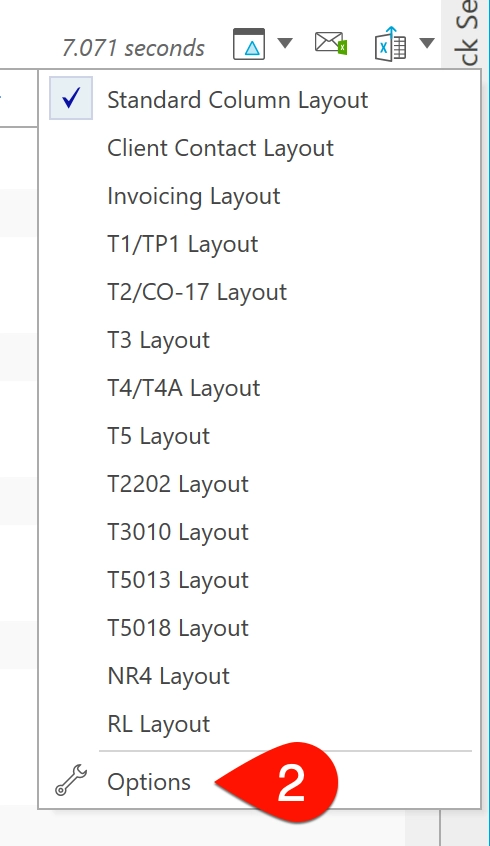
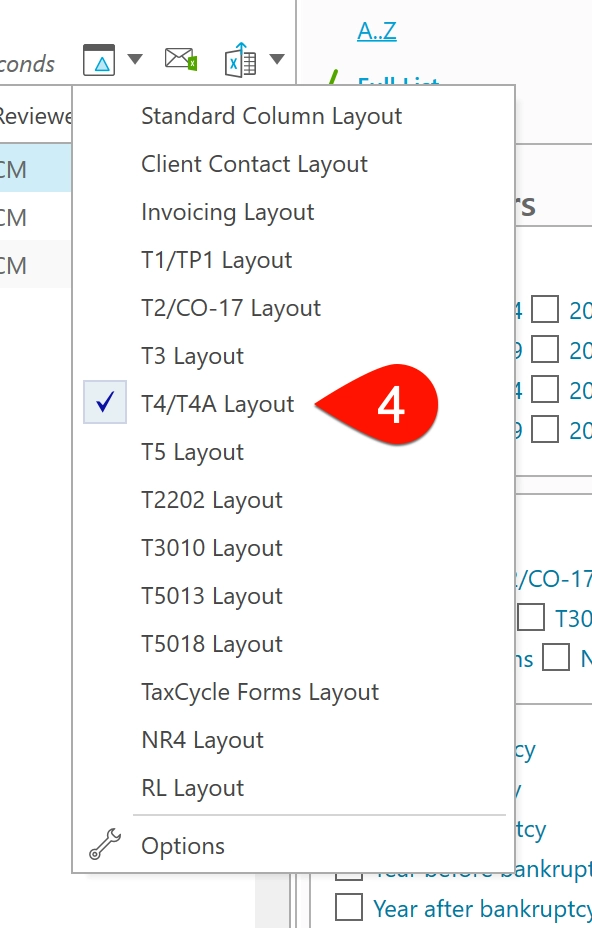
- Click on the column layout button and select Options.
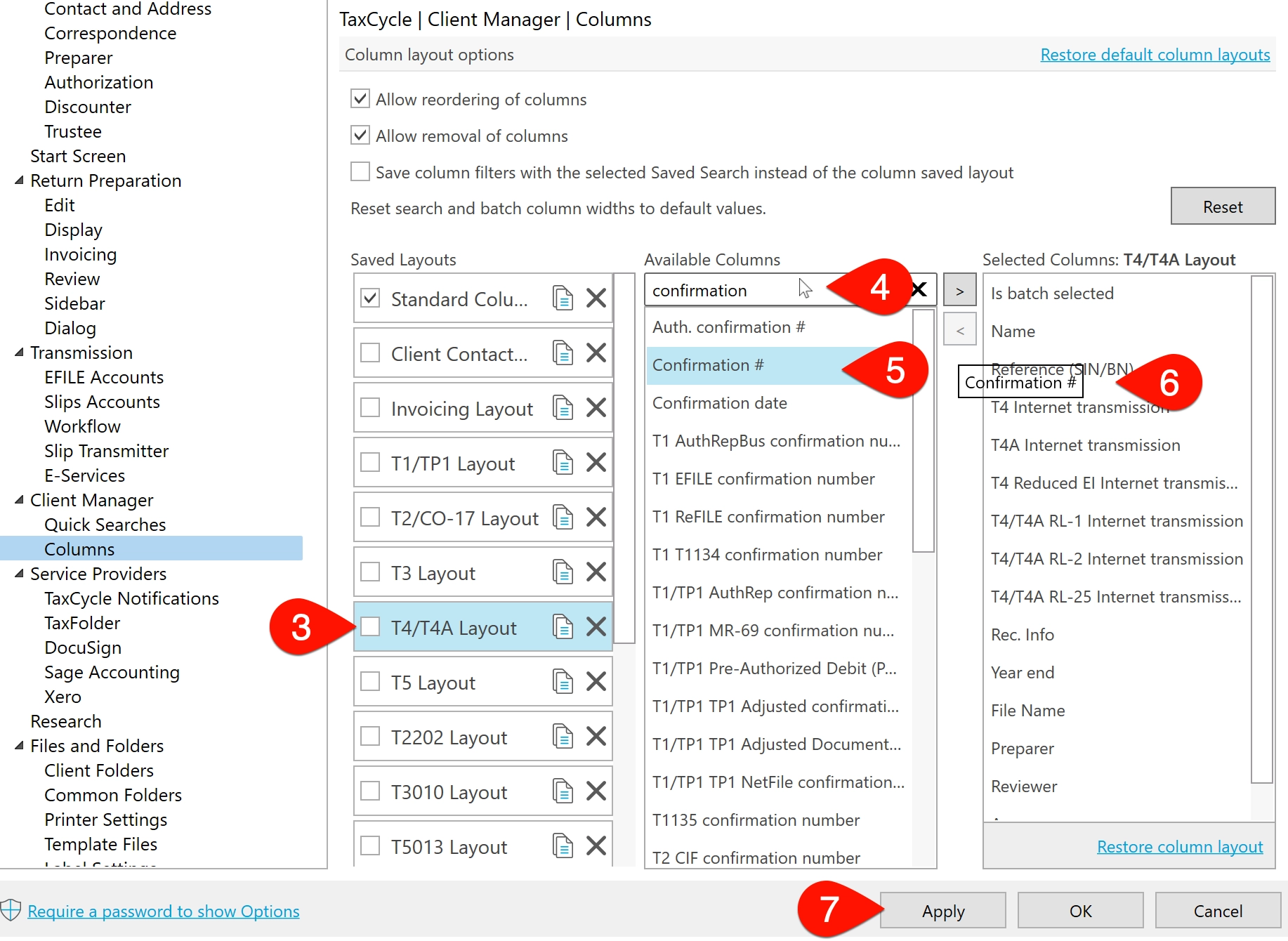
- In the Save Layouts column, click on the layout for the slip type you need. This example uses T4/T4A Layout. The background of the selected layout will turn blue.
- In the second column, search for confirmation to narrow the list of available columns to those that contain this term. (While the CRA provides a “submission number,” TaxCycle uses this term interchangeably with the “confirmation number.”)
- Click on Confirmation #, then drag and drop it into the third column.
- Place the Confirmation # column in the order you wish it to appear.
- Click Apply to save your changes.
- Repeat steps 1 through 7 for any other layouts you need, such as T5 Layout or T3 Layout.
- Click OK when you are ready to return to the Client Manager window.
Create a Saved Search That Lists Submission Numbers
After adding the submission number column to a layout, you can save a search for future use. The following example will show you how to create a saved search for T4/T4A returns. Repeat these steps for other slip types.
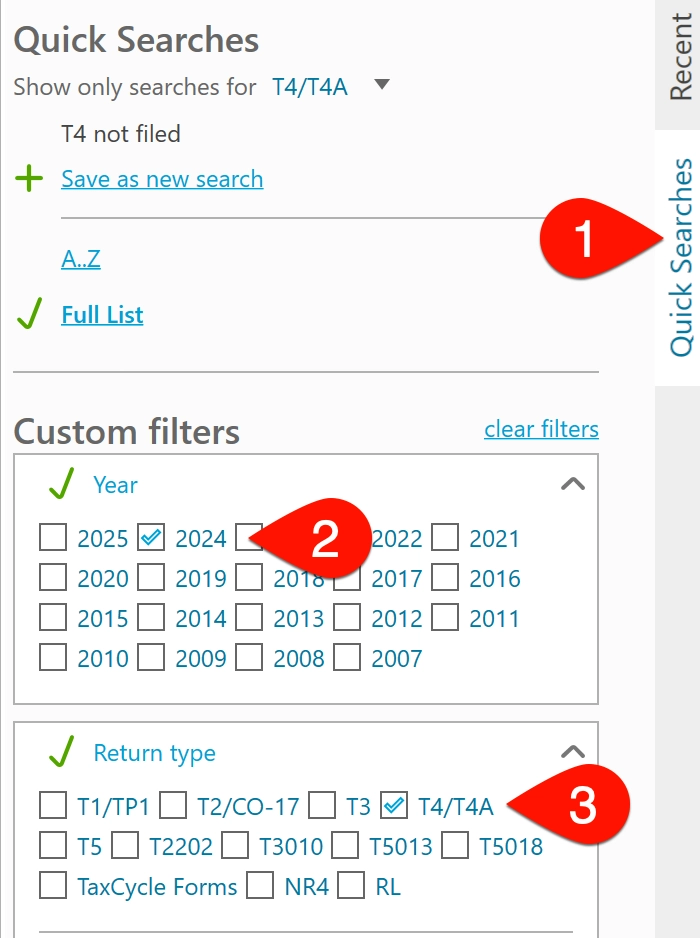
- In the Client Manager, click on the Quick Searches sidebar.
- Scroll to the Year section and select 2024.
- In the Return type section, select T4/T4A.
- Click the column layout button and select T4/T4A Layout.
- The client list now only includes T4/T4A files from 2024, along with the Confirmation # column.
- Any successfully transmitted return will show the green happy face. However, the Confirmation # column only displays the submission number for the last recorded transmission.
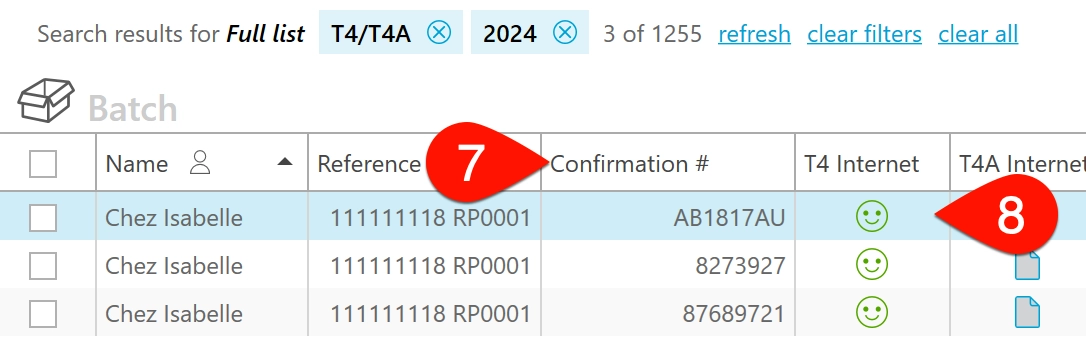
- You can sort the column to find the submission number you need or export the list to Excel.
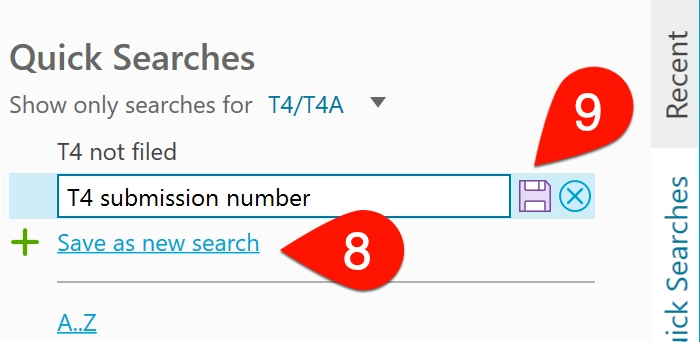
- To save this view as a Quick Search, return to the Quick Searches sidebar and click Save as new search.
- Type a name for the search and click the Save button.
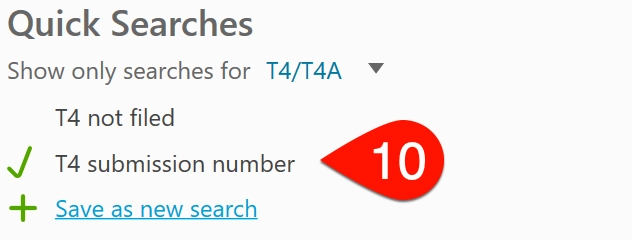
- The next time you open the Client Manager to find a list of submission numbers, you can click the saved search to apply it to the client list.
Data Mining Submission Number Query
If you use Data Mining, you can run a query to locate the return with a specific submission number. Copy this query into the Data Mining query builder and replace InsertSubmissionNumber with the submission number you’re looking for.
// scan all T4 returns for any return where a submission number matches this value
foreach(InternetFileWorksheet.InternetFileResults, any(SubmissionConfirmationNumber == "InsertSubmissionNumber"))
Make Slips Available for Original Transmission Again
After verifying that the submission number in the Client Manager matches the one in the CRA’s rejection email, you will need to resubmit the affected slips.
To make these slips available to submit again as Original slips (not Amended), you must do the following in TaxCycle:
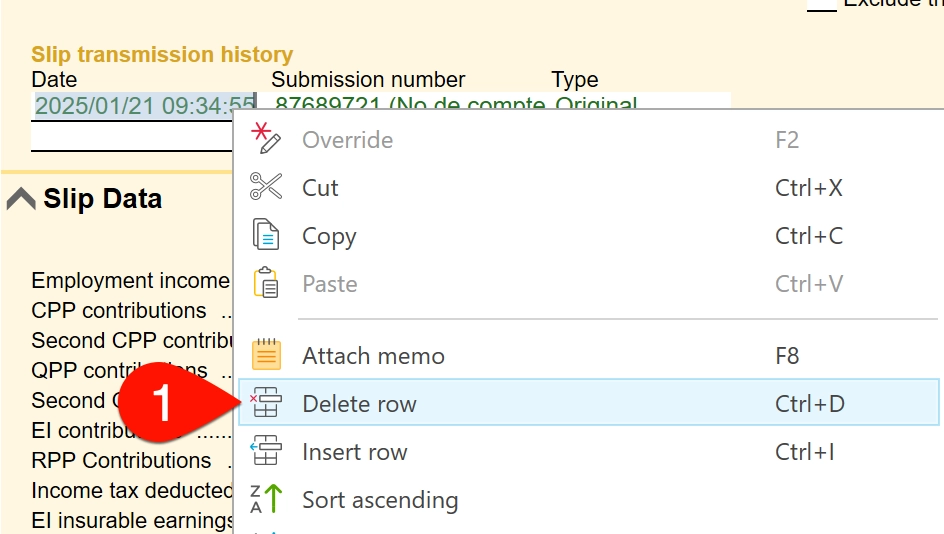
- For each slip you need to transmit, go to the Slip transmission history section, right click on the row and select Delete row.
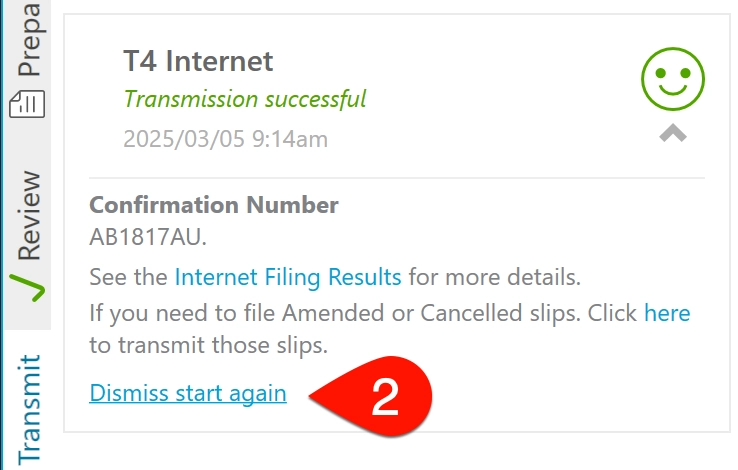
- In the Transmit sidebar, click Dismiss and start again.
- Ensure the number of slips listed as Original matches those you need to retransmit and start the filing process again.
Contact the CRA
If you have additional questions about the status of a CRA Internet File Transfer (XML) filing, please contact the CRA at the following numbers:
- Call within Canada: 1-800-665-5164, between 07:00 and 17:00 (EST)
- Call from outside Canada: 613-940-8599