Personal Profile
Manage your preparer information, representative details, identification, signature, personal options, and notification preferences in TaxCycle Go. Your profile details are specific to each organization. If you belong to more than one organization, switch to the organization whose information you want to update.
Your Profile
Sign in to TaxCycle Go.
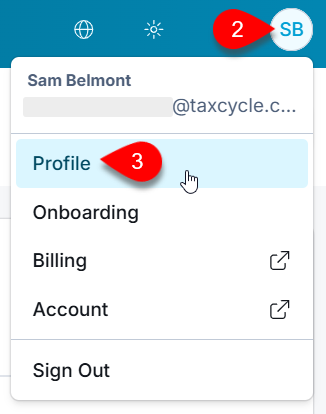
Click on your initials in the top-right corner.
Select Profile.
Preparer Information
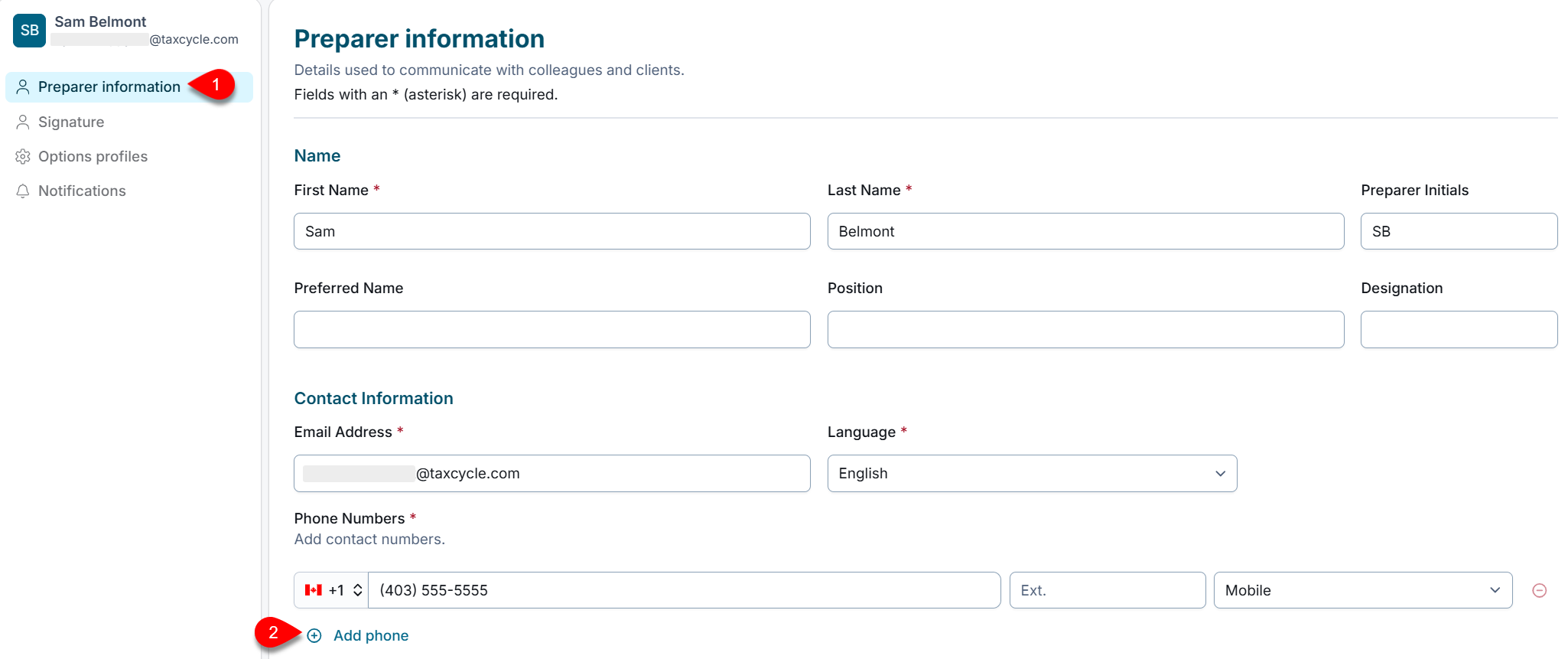
On the Preparer information page, review your name, preparer initials, preferred name, position, designation, contact information, and language. Update the fields available to you.
Click Add phone to add another phone number if needed.
Representative and Identification Details
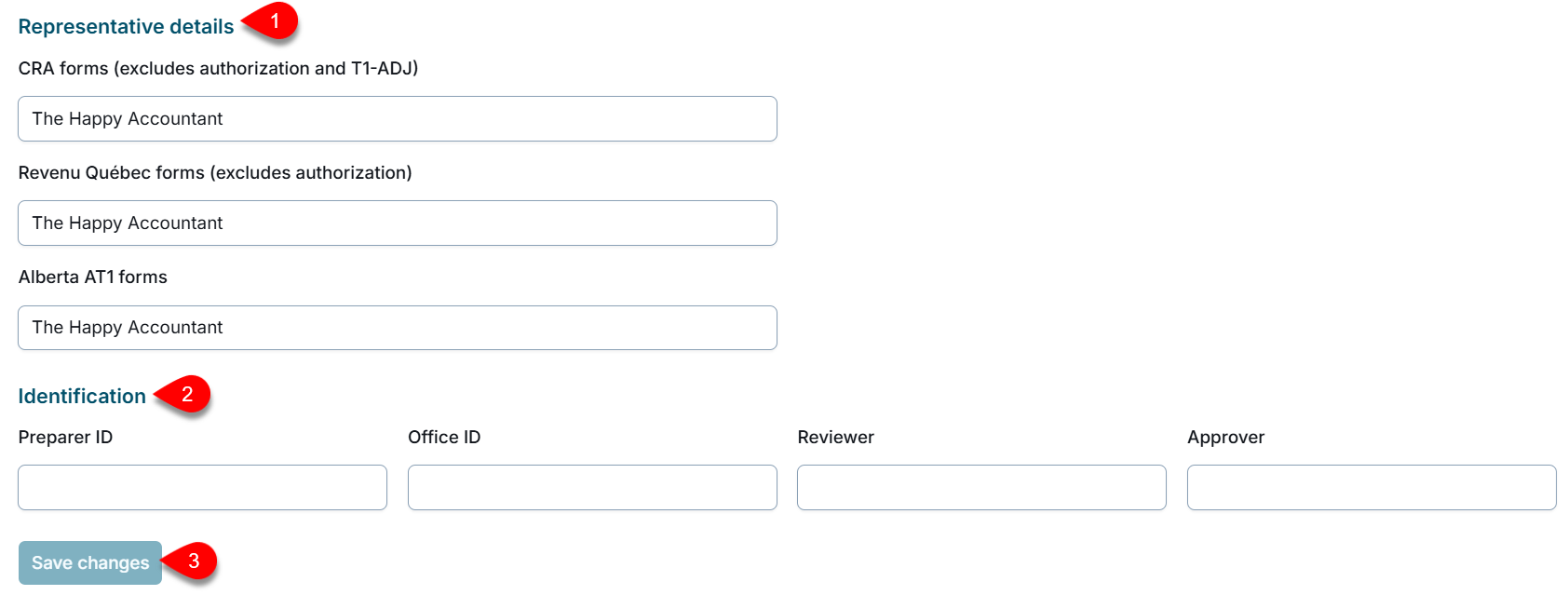
Review the representative details used on CRA, Revenu Québec, and Alberta AT1 forms. If the fields are read-only, ask your organization owner or an administrator with staff-profile editing permissions to update them or enable staff editing.
Review the Preparer ID, Office ID, Reviewer, and Approver.
Save your changes.
Add or Update Your Signature
Upload or replace your signature image. Use a PNG or JPG file no larger than 2 MB, then save your changes.
Manage Your Options Profile
Your personal options profile applies to you, not to other staff. You can edit your profile details, download a copy of the profile to store locally, or delete it. The actions available to you depend on your role and permissions:
Organization owners and users with options-management permissions can manage organization profiles.
Staff with the Global Admin role and group owners can manage group profiles within their permissions. Group owners manage profiles for their own groups.
Staff without profile-management permissions can use profiles assigned to them or their group, but can’t change or redistribute them.
For more information on group profiles and profile management, see the Create an Organization Options Profile, Create a Group Options Profile, and Roles and Permissions help topics.
Notification Preferences
On the Notifications page, choose the types of email you want to receive from TaxCycle.